
Wander
Mouse jiggler & keep-awake app for Mac
Keeps your Mac awake while you step away.
A smart mouse jiggler for Mac that keeps your Mac awake and your status active. Every few minutes it moves the pointer and clicks only a truly blank spot, waits while you're using the Mac, and stops itself at the time you pick.
macOS 13 or later · Apple Silicon & Intel · 7-day free trial · $7.99, buy once
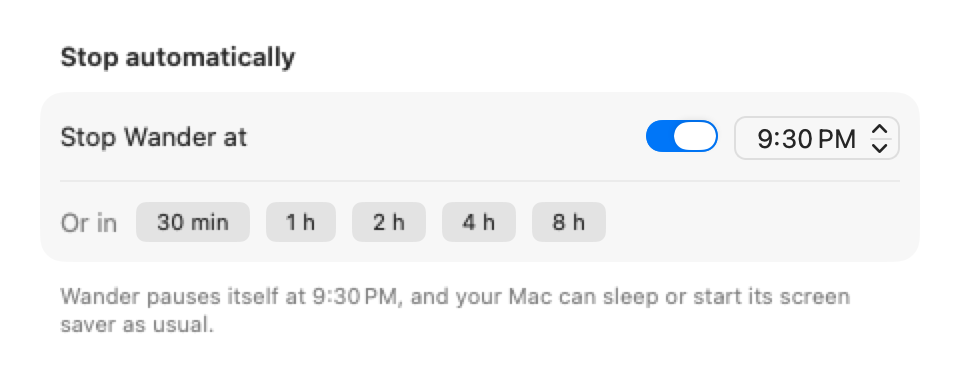
Go to bed. Wander turns itself off.
Watching a long export, a download or a build that finishes at 9:30 PM? Set Wander to stop then, or tap 30 min to 8 h. When the time comes it pauses itself, and your Mac sleeps or starts its screen saver as it normally would.
- Any time of day, or a quick duration
- Also in the menu bar: Stop At
- Happens once, then turns itself off
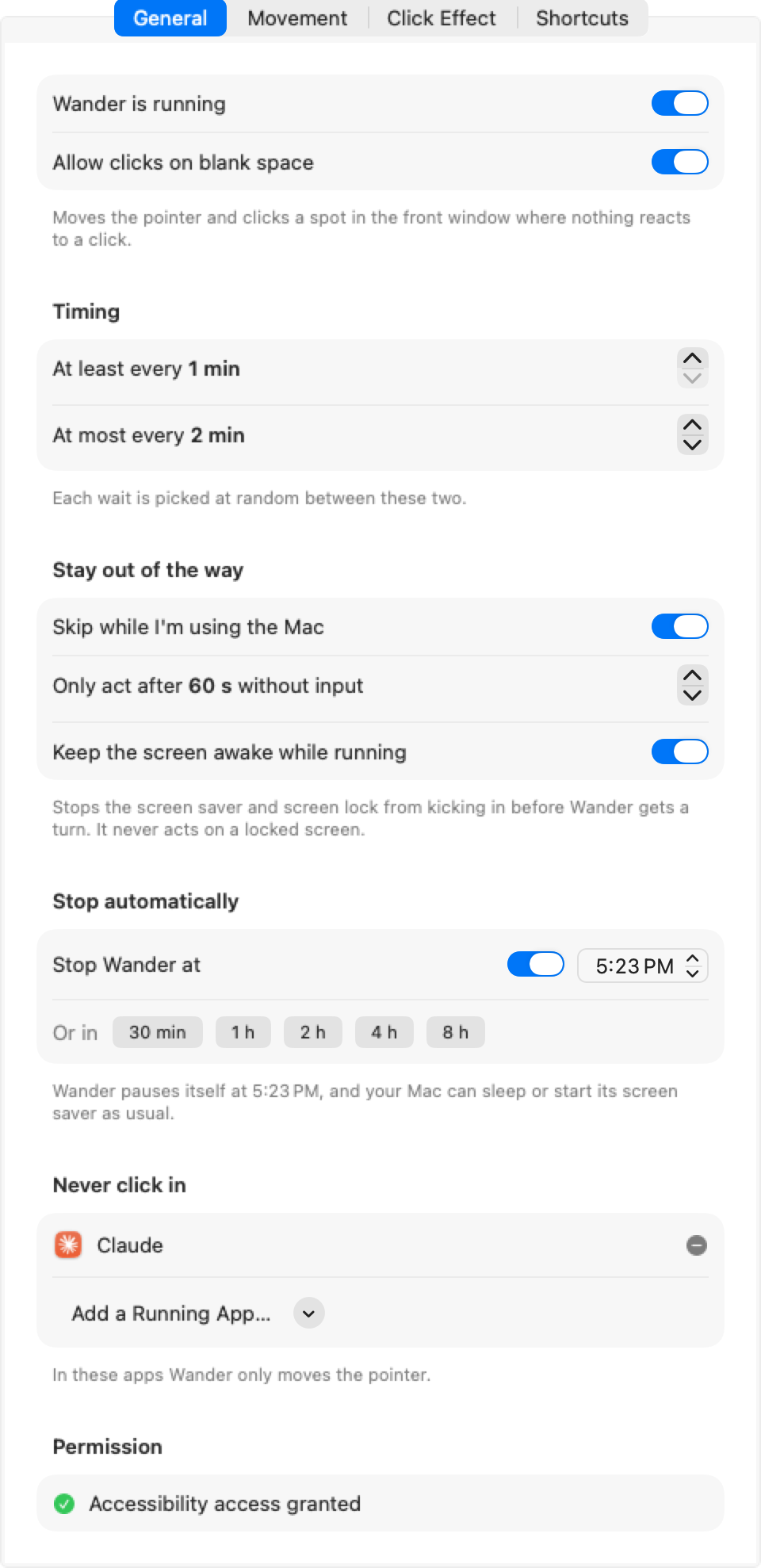
It never clicks a button or a link
Before it clicks, Wander asks macOS what’s under the pointer and all around it. Only a spot where nothing reacts to a click counts. When it isn’t sure, it only moves the pointer.
- Skips buttons, links, text and list rows
- Remote desktops are move-only
- Turn clicks off entirely if you like
A little wander, not a twitch
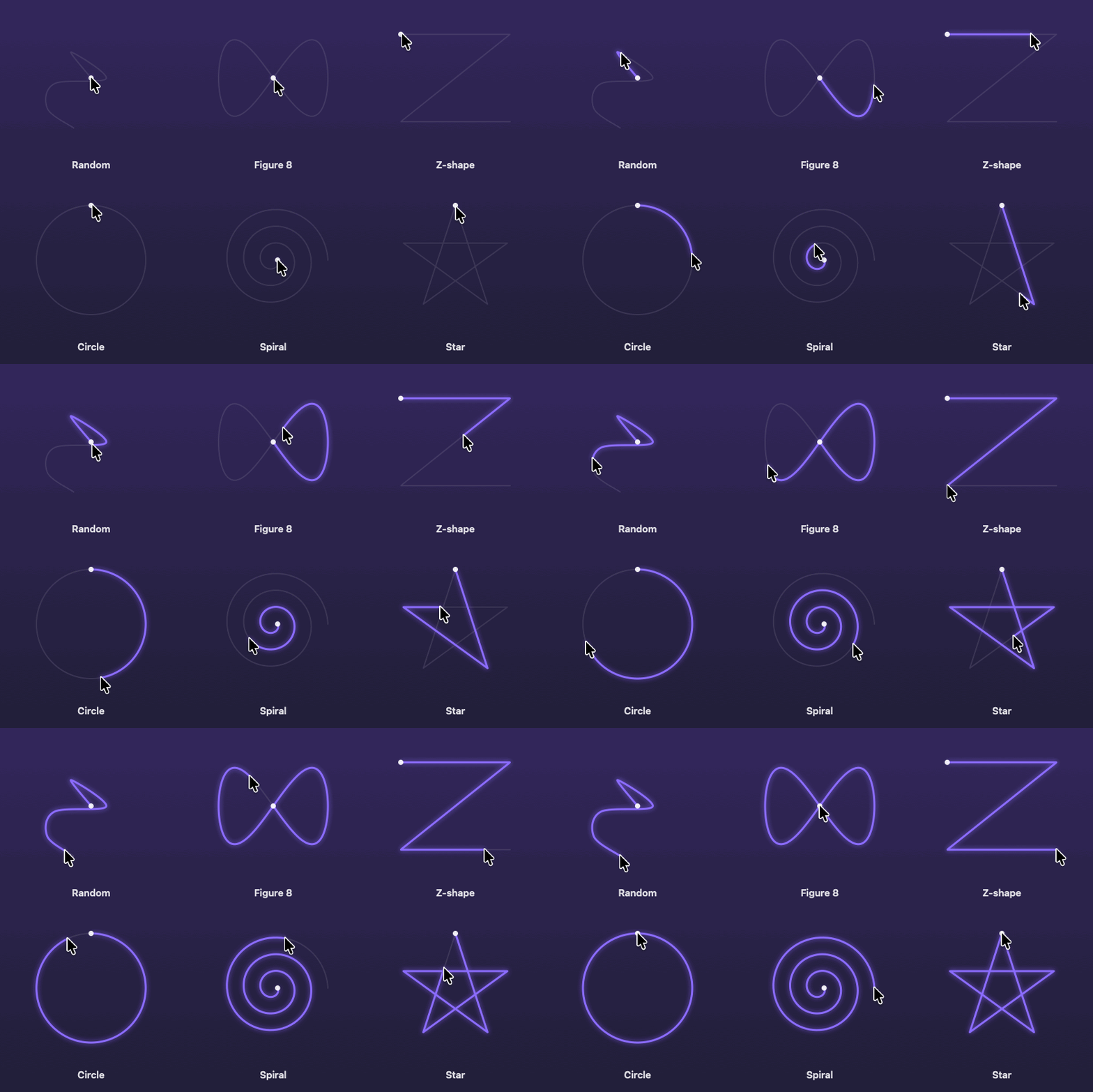
Pick how the pointer travels before each turn: Random, Figure 8, Z-shape, Circle, Spiral or Star, at the size and speed you like.
- Six patterns
- Preview any pattern around your pointer
- Or just a short glide
See exactly where it acted
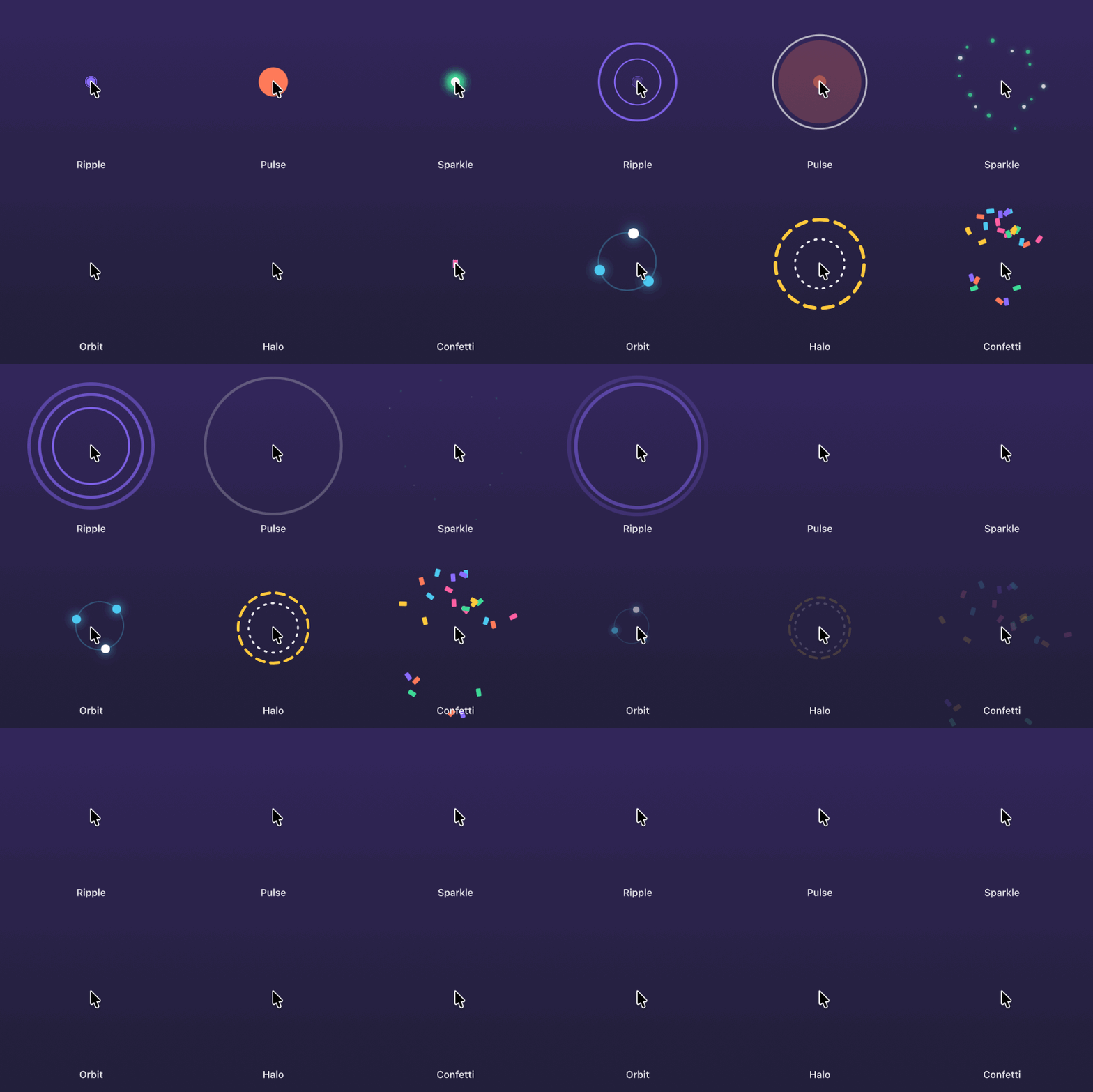
A small animation plays where Wander clicks, or where the pointer stops. Choose Ripple, Pulse, Sparkle, Orbit, Halo or Confetti, in six colors.
- Never plays on your own clicks
- Pick a card to preview it
- Or turn effects off
The smart way to keep your Mac awake
Keep-awake apps stop sleep but create no activity, so you still go idle. A USB mouse jiggler moves the pointer but never stops. Wander does both, carefully.
Amphetamine, Caffeine, caffeinate
Keep the Mac from sleeping, but nothing moves, so Teams, Slack and remote sessions can still mark you idle or time out.
A USB mouse jiggler
Moves the pointer forever, even while you’re typing, and can’t stop at a set time. One more gadget in a USB port.
Wander
Moves the pointer in natural patterns, clicks only blank space, steps aside while you work, keeps the screen awake, and stops at the time you choose.
Small app, careful details
Out of your way
While you’re using the Mac, Wander waits. Its turn comes only after you’ve left it alone for a while.
Keeps the screen on
Stops the screen saver and screen lock from starting while it runs. It never acts on a locked screen.
Shortcuts that work anywhere
Pause, turn clicks on or off, or wander now with ⌃⌥⌘ shortcuts, from any app.
Never in the wrong app
Choose apps where Wander only moves the pointer and never clicks.
Lives in the menu bar
No Dock icon. The menu shows when it acts next, what it did last, and when it will stop.
Private
No account and no tracking. Wander works on your Mac. About once a week it checks that your license is still valid, sending only the license number.
One price. Yours forever.
Try every feature free for 7 days. If Wander earns its place, buy it once.
Wander
$7.99
One-time purchase
- Every feature
- Yours forever, no subscription
- Free updates
- Use it on all your own Macs
- Email support
Prices in USD. Sold by Parallax Motion LLC. Secure checkout by Stripe.
Questions
What does Wander do?
Wander keeps your Mac awake and active while you step away. Every few minutes it moves the pointer and, if you allow it, clicks a truly blank spot, so the screen saver, screen lock and “away” status don’t kick in. It waits while you’re using the Mac and stops itself at the time you choose.
Is Wander a mouse jiggler for Mac?
Yes: a software mouse jiggler, with no USB device to buy. Unlike a simple jiggler it moves the pointer in natural patterns, only clicks where nothing reacts to a click, and turns itself off at a set time.
How is it different from Amphetamine, Caffeine or caffeinate?
Those keep the Mac from sleeping, but they don’t create any activity, so apps that watch for input can still mark you idle. Wander keeps the screen awake too, and also moves the pointer, so remote sessions and apps that time out see activity.
Will Teams or Slack still show me as away?
Apps like Microsoft Teams and Slack mark you away when the Mac gets no input for a while. Wander’s pointer movement is input, so they keep showing you as active while it runs. Use it on your own Mac, and follow your employer’s rules about software and activity.
Does it keep remote desktop and Citrix sessions open?
Moving the pointer over a remote desktop window (Citrix, Microsoft Remote Desktop, VMware Horizon and others) usually counts as activity there too. Wander never clicks inside these windows, because it can’t see what’s under the pointer; it only moves.
Can I make it stop at a certain time?
Yes. Pick any time, or tap 30 min, 1 h, 2 h, 4 h or 8 h. When the time comes Wander pauses itself, and your Mac sleeps or starts its screen saver as it normally would.
How does the trial work?
Every feature is on for 7 days, no sign-up. After that Wander pauses until you add a license. Your settings stay as they are.
Is it a subscription?
No. $7.99 once, and it’s yours to keep, with free updates.
Why does it ask for Accessibility access?
macOS requires it for any app that moves the pointer or clicks. Wander also uses it to check that a spot is blank before clicking. Nothing leaves your Mac.
Which Macs does it run on?
macOS 13 Ventura or later, on Apple Silicon and Intel Macs.
Does Wander need the internet?
No. About once a week, when you’re online, it checks that your license is still valid, sending only the license number. Offline it keeps working. A license is cancelled only if its purchase is refunded.
I lost my license key.
It’s in the email we sent after your purchase. If you can’t find it, contact us with your purchase email and we’ll resend it.
Already bought it? Click Wander’s menu bar icon, choose License…, and paste your key.
Something not working, or an idea for Wander? Contact support